Testing and analysis
Backtest Start Dates: How to Compare Forex Test Windows
Published ForeXpert team日本語で読む

To compare forex backtest start dates, choose several windows of the same length in advance and run the same written rules from the beginning of each one. If the results differ, line up the dates the tests share and find the first decision or order that changed. That gives you a specific place to investigate, even when all you started with was a difference in final profit or loss.
Two runs can reach the same candle in different circumstances. The earlier run may already hold a position, while the later one starts with no position. This guide shows how to set up the comparison and use your records to see whether the dates, the starting state, or the decisions made during replay explain the difference.
Why backtest start dates can change the result
Moving the start and end together swaps out part of the market history. One window might include a volatile week that another leaves out, and the new week at the other end may contain fewer setups that meet your rules. Two windows can cover the same number of calendar days and generate different numbers of trades.
Even on a date the windows share, the state of the test can differ. Suppose your written rules allow one open position at a time. If one run is already in a trade, it passes on a new setup that the other run can take. A rule that requires waiting several candles after an exit can change which setups are available in much the same way.
The first candle loaded and the first candle eligible for trading are also worth recording separately. Indicators that use previous bars can give different readings early in a run when the available history changes. QuantConnect's historical data documentation shows how a warm-up period supplies earlier data before the test starts.
For a practical way to prepare indicators consistently, see how to set a backtest warm-up period.
How to compare three equally long windows
1. Choose the dates before seeing results
Write down the window length, the spacing between starts, and the dates you plan to test. Keep every planned window in the record, including a run with no eligible trades. If a window cannot be tested because some of the required data is unavailable, record that separately from a completed run with zero trades.
Here is a hypothetical schedule. Include the start boundary and exclude the end boundary, with both boundaries at midnight in the same time zone.
| Run | Start (included) | End (excluded) |
|---|---|---|
| A | Jan 6, 2025 | Feb 3, 2025 |
| B | Jan 13, 2025 | Feb 10, 2025 |
| C | Jan 20, 2025 | Feb 17, 2025 |
Each window covers 28 calendar days. The starts are seven days apart, so adjacent runs share 21 days. Holidays and missing data can still affect how many candles you can review. If your replay tool treats the selected end date as inclusive, check which last bar it includes before translating the table into settings.
2. Keep the rules and starting assumptions fixed
Use the same currency pair, timeframe, historical data source, order and exit rules, and cost assumptions. Write down any restriction on the hours you will trade. If the test starts fresh in each window, use the same opening balance and begin with no open positions or pending orders. Apply the same rule to positions still open when each window ends.
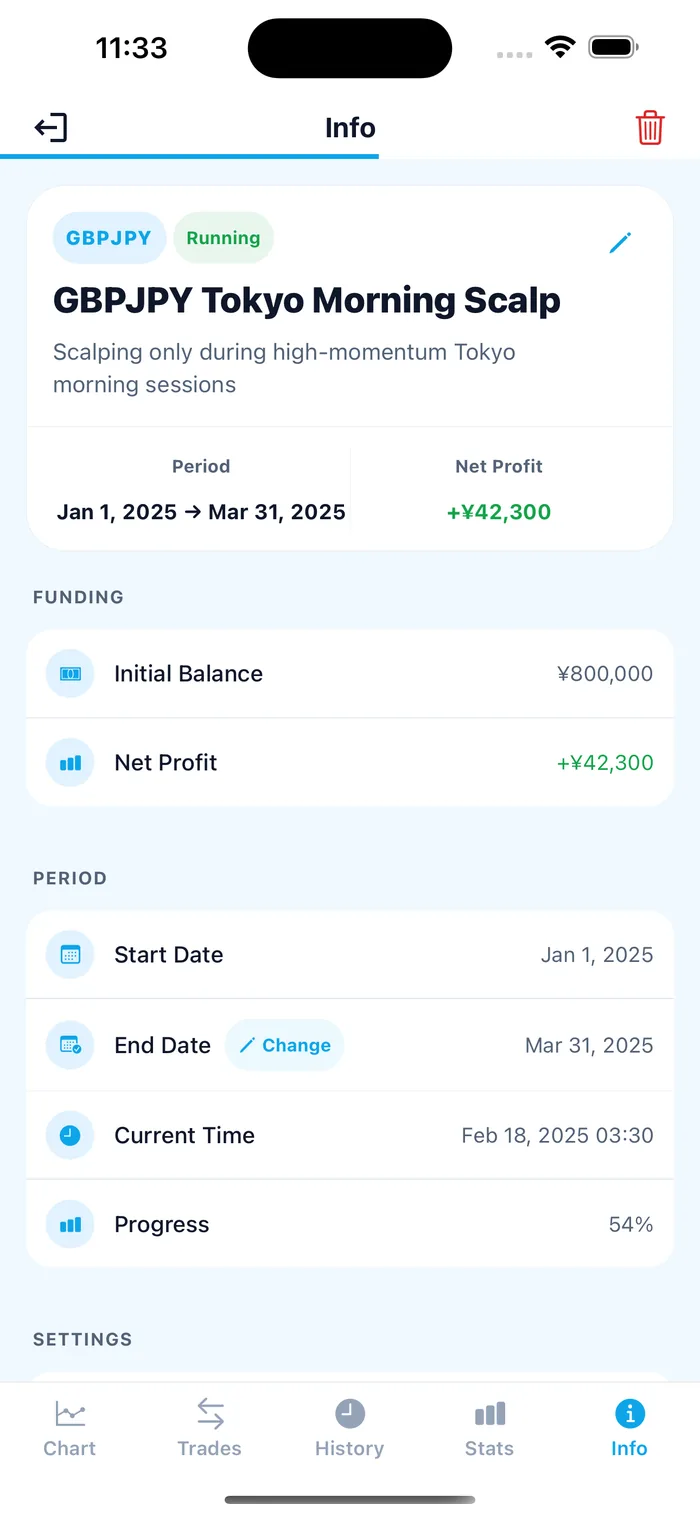
ForeXpert lets you step through historical charts one candle at a time and practice placing orders. Its Info screen shows the start and end dates together. If you label your notes A, B, and C, you can check the dates against the corresponding screen before copying any results into your comparison.
For the choices you can document at the end of each run, see how to handle open positions at the end of a backtest.
3. Look for the first decision that differs
Put each run on one line with its dates, trade count, time of the first trade, and final profit or loss. Add a short note with a timestamp or trade identifier if you find something that explains a difference. This makes it possible to reopen the replay at the relevant point instead of reading the entire history again.
Take two runs and look from the first date they have in common. If one run takes a trade the other skips, check what each run held just before the decision and whether both were allowed to place a new order. If they placed the same order, check the simulated fill and the exit next. In a manual replay, write down the setups you passed on while they are still visible. A list of completed trades alone may leave you guessing why a setup was skipped.
Document where the runs diverged
Imagine that A has a position open at the beginning of the shared period and B starts that day with no position. The first setup inside the overlap meets the entry conditions. A skips it under the one-position rule, and B places an order. A note such as “First shared setup differed because A already held a position” gives you a direct explanation for that decision. Later trades may also change because the runs have taken different paths from that point.
If the two runs make the same decisions on shared dates and most of the difference comes from trades outside the overlap, review the weeks that were added or dropped. If indicator readings differ at the first point of divergence, compare the bars used to prepare the indicator. When the difference comes down to a discretionary judgment, write down what each decision relied on so you can see whether the rule was specific enough to apply consistently.
A useful record has four fields: the timestamp, the state just before it, the decision taken, and the evidence for the explanation. If you are still unsure about the cause, record what you checked and what is missing. If you later rerun the exercise to investigate, keep the original entry and add another one with the condition you changed.
You can investigate a different question by holding the dates fixed and changing a threshold or indicator setting in a separate backtest sensitivity analysis. That gives each comparison a clear purpose.
What repeated runs can tell you
Several overlapping windows can reveal how much your replay depends on entering the same stretch of history in a different state. They can also include the same market move or even the same trades. Three rows in a comparison sheet can therefore represent far less than three distinct samples of market conditions.
If you want to see how the frozen rules behave in another part of history, set aside an untouched, non-overlapping period for a separate check. Keep the weak and empty windows in your notes as well as the strong ones. Selecting only the best dates after reviewing the results ties your conclusion to the data you already saw. Past backtest results do not guarantee future performance.
FAQ
How far apart should the start dates be?
Choose the spacing to match the question. A shift shorter than the window length leaves shared dates on which you can compare decisions candle by candle. A wider shift or a non-overlapping window gives you more distinct stretches of market history to review.
Can I shift the start while keeping the end date fixed?
Yes, if you want to see what changes when you include or exclude the earlier part of the history. The windows will then have different lengths. Record the duration next to the trade counts and totals so it is clear how much time each figure covers.
Will the results match if I count only trades in the overlap?
They can still differ because each run reaches the shared dates with its own position and order history. Record the state of each run as it enters the overlap. If you restart at that point with the same state in both runs, log that as a separate test.
Summary
Choose the window length and dates before you open the replay. Run the same rules and starting assumptions in each window, then find the first shared date on which the runs differ. Record what happened immediately before that decision. The note will help you decide whether your next check needs different dates, more consistent preparation, or clearer written rules.