Testing and analysis
Forex Order Expiry in Backtests: When to Cancel
Published ForeXpert team日本語で読む
When you backtest a forex strategy with pending limit or stop entries, decide how long each order can remain active. A rule such as “active for the next three completed bars after submission” gives you a clear boundary. Check for a fill through the third bar, then cancel the order if it is still pending before you advance to the fourth.
The same entry price can produce a different set of trades when the expiry changes. This guide shows how to put the deadline on a chart, handle a price touch near the cutoff, and keep a record that lets you compare tests with different order lifetimes.
What forex order expiry means in a backtest
Order expiry determines how long an unfilled order can remain active. Trading platforms often call this instruction time in force. For example, OANDA documents good till date (GTD) for a specified deadline, good till canceled (GTC) for an order that stays active until filled or canceled, and good for day (GFD) with a cutoff defined by the service. Check the service's definition if your test is meant to reproduce its order handling. OANDA order specification
This guide deals with orders that open a position. Once an entry fills, the position follows its exit rules. A system that waits up to three bars for entry and exits after five bars in the position has two clocks. If you start both clocks at submission, positions that fill late will have less time to run than positions that fill immediately.
Order expiry determines which price movements count as possible entries after a signal. Decide whether a late touch is eligible while the future bars are still hidden. If you are writing your entry and exit rules at the same time, start with the basic forex backtesting workflow and add the expiry alongside the entry conditions.
Define the starting bar and the last eligible bar
For an expiry based on bar count, write down the timeframe, the point at which the order becomes active, and the final bar you will check. For example, “Submit after a 15-minute candle closes and keep the order active through the close of the third following 15-minute candle.” If you switch to an hourly chart to inspect the broader context, the original 15-minute clock still governs the order.
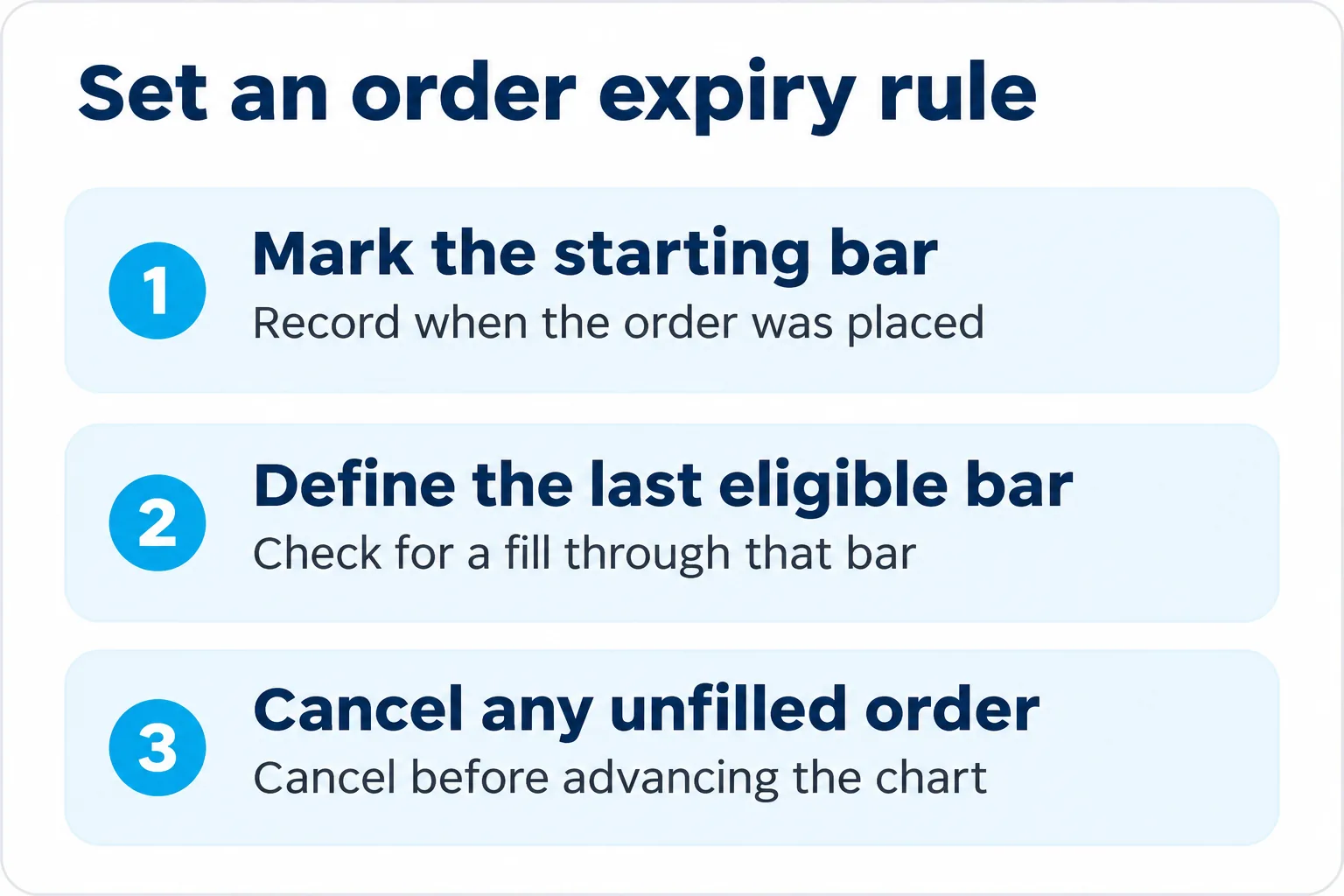
When the signal depends on a completed candle, the price movements inside that candle occurred before the decision. A limit order submitted after observing its close cannot use an earlier low in the same candle to claim a fill. For more examples of checking what was available at decision time, see look-ahead bias in backtesting.
For a clock-based deadline, specify the time zone and how to handle an event at the cutoff. If an order expires halfway through a bar, its high and low alone cannot tell you whether a touch occurred before or after expiry. Use data with sufficient time resolution, move the rule to a bar boundary if that suits the test, or record the case as unresolved. Choose an approach before checking which outcome would help the result.
Bar count and elapsed time can diverge. With a rule based on displayed bars, the next displayed bar can be bar one even after a gap. With a clock-based rule, the deadline can pass before that bar appears. Write down which convention you intend, particularly when a session boundary or a gap in the data is possible.
A three-bar limit order example
Suppose a 15-minute candle closes at 10:00 with a price of 1.1010 and you submit a buy limit at 1.1000. This is a fictional example. Bar labels show closing times and the simplified model counts a fill when the low reaches 1.1000 or below during one of the next three bars. The example excludes spreads and differences between the requested and simulated fill prices.
| Bar close | Low | Order status |
|---|---|---|
| 10:15 (bar 1) | 1.1004 | Still pending |
| 10:30 (bar 2) | 1.1002 | Still pending |
| 10:45 (bar 3) | 1.1001 | Cancel after bar |
| 11:00 (bar 4) | 1.0998 | Canceled |
Price first reaches the limit on bar four, after the order has been canceled. If the third bar had printed a low of exactly 1.1000, the order would have filled within the window under this model. Check the final bar, cancel any remaining order, and then reveal the next bar. Record the fill model and timestamp convention of the tool you use before applying the example to your own test.
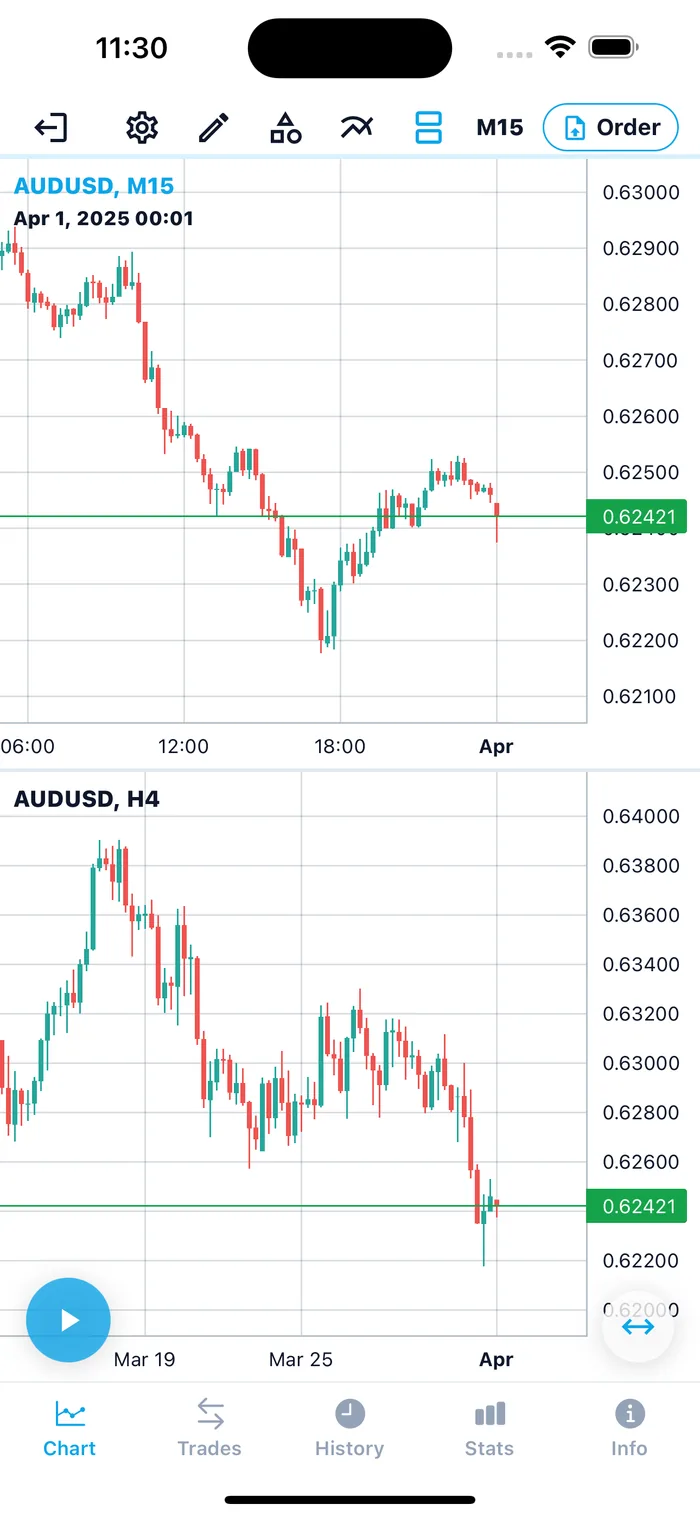
In a manual replay, note the last eligible bar as soon as you submit each order. That gives you a reference if you are switching between charts or returning to the test later. ForeXpert lets you step through historical candles and place limit and stop orders. The screen below shows the practice chart, and you can keep the deadline and reason for cancellation in your test notes.
Log expired orders and compare tests
Keep a record for every order you submit, including ones that never fill. Useful fields include the signal or submission bar, entry price, last eligible bar, final status, and the time of the fill or cancellation. Record whether the cancellation came from the deadline, a predefined condition that invalidated the setup, or the end of the test period.
Decide what to do if a fresh signal appears while an order is still active. If your rules call for replacing it, record why the old order was canceled and give the new order its own starting time. Overwriting the original deadline makes it difficult to tell how long that order was actually active. Keep unfilled orders separate from setups where you never submitted an order. The guide to logging skipped trades explains how to record that second kind of decision.
To compare expiry windows, keep the entry signal, timeframe, test period, fill assumptions, and exit rules consistent. Change the deadline and match orders by their original signal where possible. Look for entries that filled under both windows, entries that filled under one, and orders canceled in both. If your rules block fresh orders while a position is open, an early difference in fills can change which later orders are submitted. Trace the first point where the two logs diverge before interpreting the totals.
Keep the denominator visible in your comparison. You can count fills as a share of orders submitted, while average profit or loss per completed trade uses completed trades. Adding unfilled orders as zero-profit trades changes the second denominator. If the replay ends before an order reaches its deadline, label it as pending at the end of the test so it stays distinguishable from an order that actually expired. Backtest results do not guarantee future performance, and live forex trading carries a risk of loss.
FAQ
Is good for day the same as an expiry after three bars?
A day order uses a cutoff time defined by the platform. A three-bar rule depends on the submission point and timeframe. For example, suppose the cutoff is 17:00 and you submit after the 16:45 close on a 15-minute chart. The third following bar closes at 17:30. When reproducing a platform's daily cutoff, use its time-zone convention.
Should I cancel as soon as I see the expiry bar?
If your rule includes that bar, finish checking it for a fill first. If your rule calls for cancellation before the expiry bar opens, the previous bar is the last one eligible. Confirm whether the timestamps on your chart mark the opening or closing times so you can reproduce the rule on another session.
What if price reaches the order level after cancellation?
Keep the original order marked as canceled. You can record the later touch in a separate note if it helps you investigate a longer expiry window. To see how the later move would affect the results, replay that scenario under a separately defined rule.
Summary
Write an order expiry rule with a starting point, a final eligible bar, and a cancellation step. A useful example is “Submit at the 15-minute close, check the next three bars, and cancel after bar three if the order is still pending.” Start with one such line before your next replay, then keep both fills and cancellations so you can tell exactly where a different deadline changes the test.