Testing and analysis
Forex Backtesting Time Zones: Check DST and Candle Times
Published Updated ForeXpert team日本語で読む

To align forex backtesting time zones, check the source timestamps, the chart display, and the clock used by your rules and journal separately. Converting everything to your local time is only part of the job. Daily and four-hour candles can cover different intervals even when their labels use the same time zone.
This guide shows what to record before testing a rule that depends on the time of day, how to handle daylight saving time, and how to compare the same instant across charts. The clock examples are for explanation only. They do not recommend a trading session or a time to buy or sell.
Forex backtesting time zones: separate three clocks
A time zone provides the rules for expressing local time. Its UTC offset tells you how far that local time is ahead of or behind Coordinated Universal Time. UTC+9, for example, means adding nine hours to the UTC date and time.
Before replaying a chart, check the data documentation and the tool settings. Do not assume that the time shown on screen is the original timestamp stored with the data. A display can convert timestamps without changing the underlying records.
| What to check | Question to answer | Example note |
|---|---|---|
| Source data | Which clock is used, and does the timestamp mark the start or end of a candle? | UTC; candle opening time |
| Chart display | Which time zone labels the chart? | UTC display or a selected regional zone |
| Rules and journal | Which clock defines the allowed window and the recorded trade time? | Record UTC and retain the original local time |
If you also use an economic calendar, check its time zone separately. A calendar entry marked 15:00 and a chart label marked 15:00 may refer to different instants. Record a complete date and zone, such as “2026-01-15 15:00 UTC,” rather than an isolated clock reading.
A tool might use a fixed clock, a regional zone, or the device setting. Establish which applies instead of inferring it from how familiar the labels look. If you cannot establish it, mark the assumption as unverified and postpone comparisons that depend on that clock. Our manual forex backtesting guide explains the broader testing process.
Convert daylight saving time for the historical date
Daylight saving time, or DST, moves the local clock forward during part of the year in participating regions. US Eastern Standard Time is UTC−5, while Eastern Daylight Time is UTC−4. The NIST local time FAQ explains these offsets and regional exceptions.
A rule defined as “check at 09:00 New York time” therefore differs from one defined as “check at 14:00 UTC.” They coincide on a standard-time date, but do not remain equivalent throughout the year. The following is a hypothetical clock-conversion example, not a market-opening schedule or trading recommendation.
| Date and assumption | New York local time | UTC equivalent | Equivalent at UTC+9 |
|---|---|---|---|
| January 15, 2026; standard time | 09:00, UTC−5 | 14:00 that day | 23:00 that day |
| July 15, 2026; daylight time | 09:00, UTC−4 | 13:00 that day | 22:00 that day |
The calculation is local time minus the applicable UTC offset. For January, 09:00 minus negative five hours gives 14:00 UTC. Adding nine hours gives 23:00 at UTC+9. In July, subtracting negative four hours gives 13:00 UTC, or 22:00 at UTC+9.
Carry the date through the calculation too. For example, 20:00 UTC on January 15, 2026 becomes 05:00 on January 16 at UTC+9. Changing the hour while keeping January 15 would match the record against the wrong day.
Write down whether your rule follows a fixed UTC window or the local clock in a named region. For the latter, retain a regional identifier such as America/New_York. The IANA Time Zone Database maintains historical offset and daylight-saving changes. Use the rules for the date being tested, rather than applying today's offset to every past candle.
To see the Sydney, Tokyo, London and New York sessions for a given date in your own time zone, use our forex market hours page.
Chart labels and candle boundaries are different
Changing a display time zone can simply relabel the same instant. Changing a candle's aggregation interval changes which price observations belong in that candle. Consider the illustrative intervals 00:00–04:00 UTC and 01:00–05:00 UTC: they overlap, but include different hours. Their open, high, low, and close can therefore differ.
An official example of the distinction appears in OANDA's pricing API documentation, checked in November 2026. It describes a daily alignment hour and alignment time zone while stating that returned timestamps remain expressed in UTC. This illustrates the distinction; it does not establish how ForeXpert builds its candles.
Before comparing two charts, check more than the instrument and timeframe:
- The actual start and end of the interval, and which endpoint the label represents.
- The anchor used to construct daily or multi-hour candles.
- Whether both charts use the same price component, such as bid or ask.
- How the datasets handle closures and missing observations.
If prices still differ after the clocks are aligned, investigate the data source and price component separately. Do not keep shifting the time until the chart looks familiar. The purpose is to establish documented assumptions, not to force two different datasets into an apparent match.
This also matters when a lower-timeframe decision uses a higher-timeframe candle. A label at the start of an hour does not make that hour's closing price available at the start. Our multiple-timeframe practice guide explains how to define the decision point.
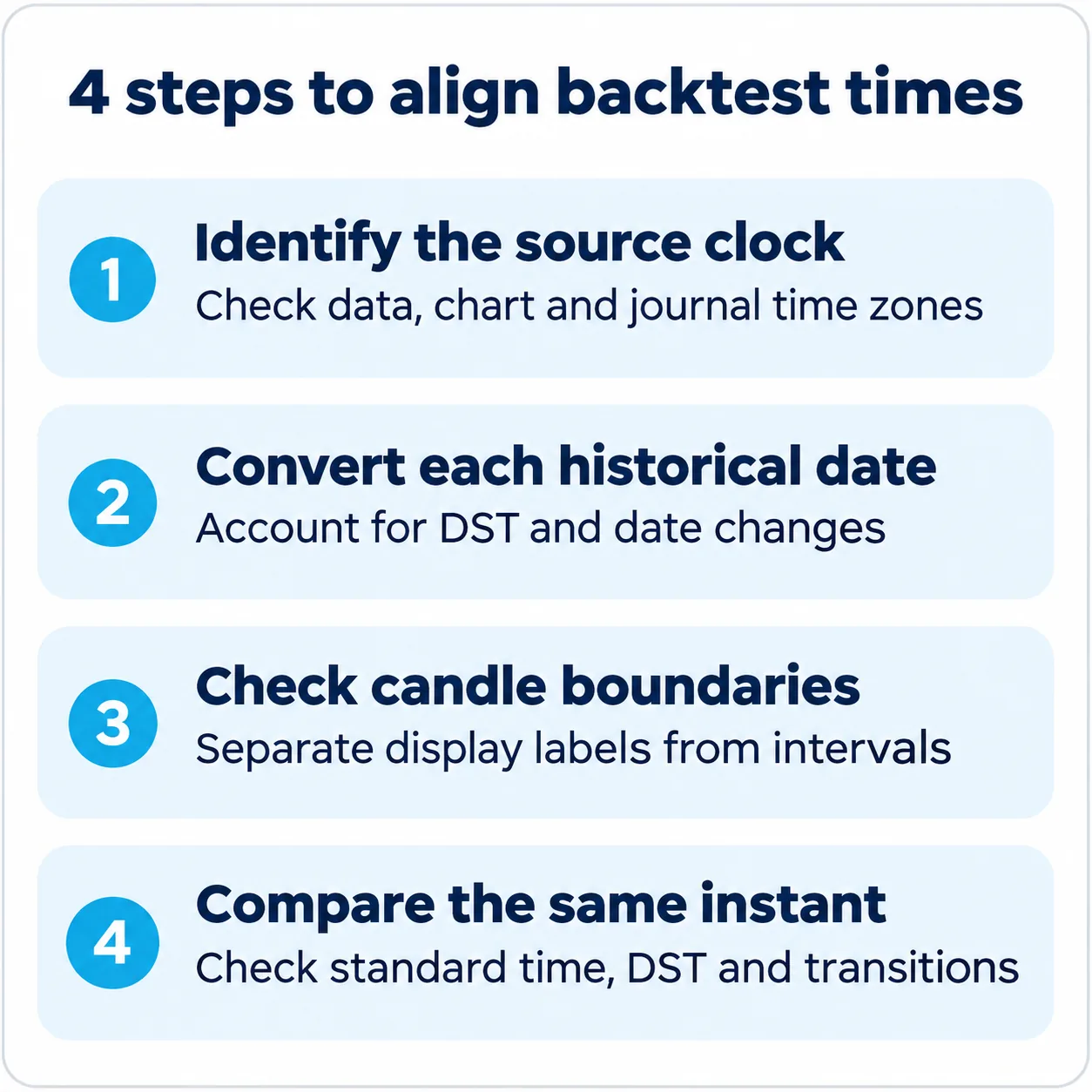
A four-step time-alignment check
Use a small set of timestamps to check your assumptions before running through a long historical period. A notebook or spreadsheet is enough for the supporting record. Keep the original values so that you can reverse the conversion and investigate a mistake later.
1. Identify the source and display clocks
Record the setting, the documentation you checked, and the date you checked it. If the source only says “server time,” establish whether its UTC offset is fixed or changes seasonally. Leave a field marked unknown when the information is unavailable. An explicit gap is more useful than an assumption that later appears to be a verified fact.
2. Convert each date to a common reference
Keep the original timestamp and add a separate UTC column. Do not overwrite the source time. If the local clock repeats an hour when daylight saving ends, a regional date and time alone can be ambiguous. Retain the applicable offset or an unambiguous UTC timestamp as well.
For a rule that follows local time, calculate that local window's UTC equivalent for the historical date. For a UTC-fixed rule, keep the UTC window unchanged. These are different rule definitions, so make the choice before viewing results.
3. Check the interval and decision point
For a one-hour candle labeled 10:00, determine whether it starts at 10:00 or finishes then. Verify when the information required by your rule becomes available. If the rule uses completed candles, it cannot use that candle's final close before the interval ends. The look-ahead bias guide covers this mistake in more detail.
4. Compare standard time, daylight time, and the transition
Check a standard-time date, a daylight-time date, and dates on either side of the relevant transition. If your process combines events from different regions, convert each using its own rules. A single fixed difference between regional clocks is not a substitute for checking the dates.
| Journal field | What to retain |
|---|---|
| Original timestamp | Full date, time, region or UTC offset |
| Comparison timestamp | The same instant expressed in UTC |
| Candle interval | Start, end, and meaning of the label |
| Rule clock | Fixed UTC or a named region's local time |
| Verification status | Documentation, check date, and unresolved assumptions |
ForeXpert lets you step through historical charts one candle at a time and display multiple timeframes. Keep this time-alignment record separately, and verify the screens and specifications you use. Do not assume that an unshown time-zone setting or automatic correction exists.
What to do when the times do not match
Does a one-hour difference prove that DST is the cause?
No. DST is one possibility, but a candle's start-versus-end label or a display setting can also explain a difference. Compare both a standard-time and daylight-time date, then identify whether the mismatch begins in the data, the display, or the rule's conversion.
Will converting everything to UTC make daily candles identical?
UTC provides a common reference for instants. It does not remove differences in aggregation intervals or price components. Check “same instant” and “same candle” as separate questions. Two labels can refer to the same instant while the candles cover different stretches of price history.
Can I fix an existing backtest by editing the trade timestamps?
If only the journal label was wrong, correct it and retain a note of the change. If the error changed a time filter or your judgment about whether a candle had closed, the set of eligible trades may also change. Rerun the affected period under consistent rules rather than removing only inconvenient trades.
Historical testing does not guarantee future performance. Live trading involves a risk of loss, and correct time alignment does not remove differences in costs or execution. The purpose of this check is to make the test's assumptions reproducible before interpreting its results.
If candles still seem absent after aligning the clocks, follow our guide to missing candles in backtests to distinguish closures, loading issues and unavailable data.
Summary
For forex backtesting time zones, separate the source clock, display clock, and rule clock. Convert using the historical date, then check candle intervals and the point at which a decision becomes possible.
Before your next test, write one sentence saying whether the rule is UTC-fixed or follows a named region's local time. Verify one standard-time and one daylight-time example, retain unresolved assumptions, and avoid combining results produced under different clock conventions.